Printooly
English

A closer look at your next idea

Cookie Studio

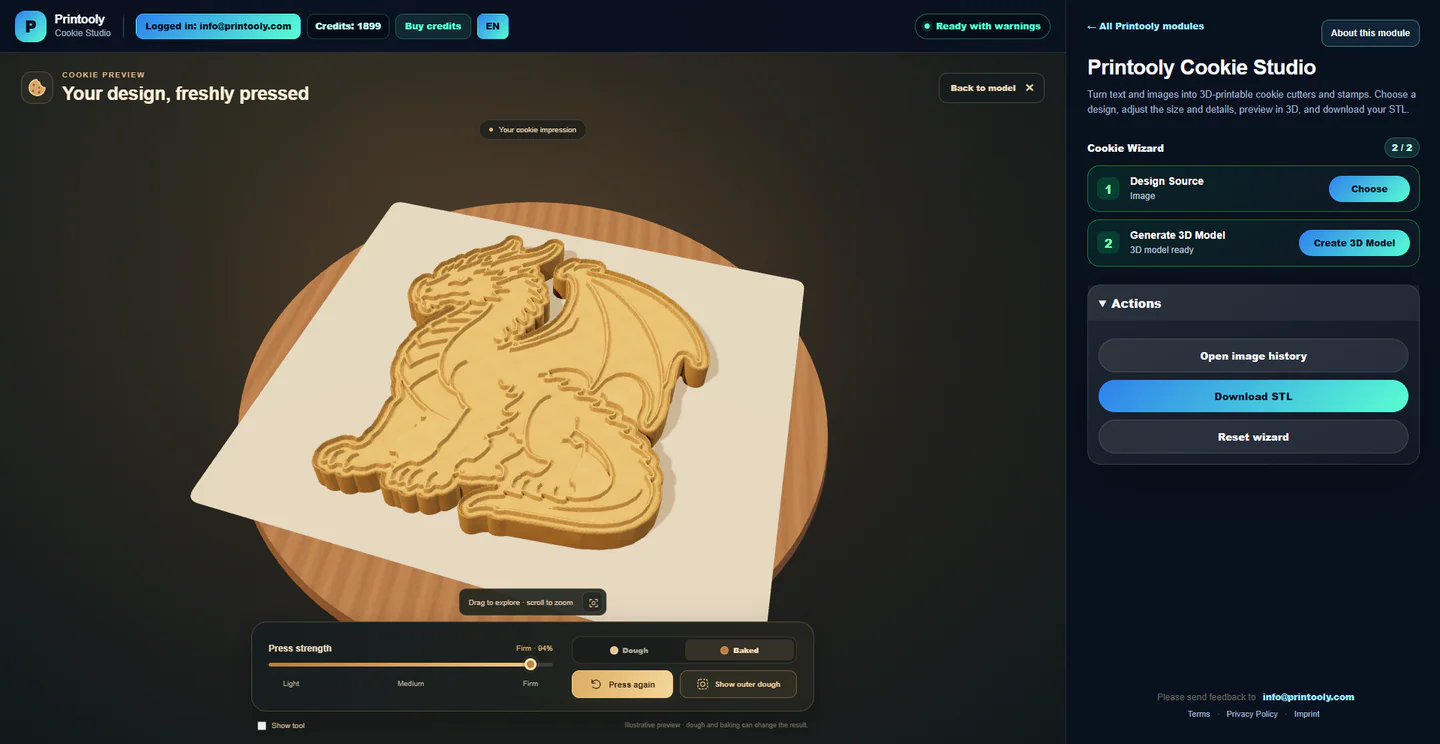
Create cookie cutters and stamps from your own text, decorated initials, images or SVG artwork. Follow the silhouette of your design, inspect the 3D tools and preview their impression in dough.

Made for desktops and laptops

On phones and tablets, you can explore the tools and read their guides. Uploading, editing, generating and exporting require a desktop or laptop.

What could you make?

  • A dragon-shaped cutter and matching detailed stamp
  • Names, messages and decorated initials
  • A combined 2-in-1 cutter and stamp

What you start with

Text and a font, decorated initials, or an uploaded image or SVG. Use ready-made decoration presets or generate a design concept with Printooly AI.

What you get

STL files for a cutter, a stamp, a matching set or a 2-in-1 tool. Stamp designs can include a reusable slide-in handle.

Your starting point

From your design to a cookie tool

From your first idea to your next step.

  1. Choose text, decorated initials, or upload an image or SVG. Suitable SVG paths can become a model directly; use a Printooly AI concept when you want to simplify an image.

  2. Choose Cutter, Stamp, Cutter + Stamp, or 2-in-1 where available. Follow the artwork silhouette or use another base shape, then adjust the size, walls, outline and relief.

  3. Open Simulate Cookie to explore the impression, press strength and dough or baked appearance. Check the model and download the STL for your slicer.

Free core tool

Free design tools. Optional Printooly AI.

Text and SVG modeling, decoration presets, the 3D preview and STL export are free. Optional Printooly AI concept or decoration generation requires a Printooly login and costs 2 credits per generation. The credit window shows the cost before you continue.
Check the tools before printing

Check the tools before printing

Check wall thickness, small details, scale and fit in your slicer. The cookie simulation illustrates the result; dough and baking can change it. Choose suitable printing materials and a cleaning process for your intended use.

About this module

A few things worth knowing

Can the cutter follow the shape of my image?

Yes. Choose the silhouette outline option to follow the subject instead of surrounding it with a badge-shaped base. Inspect fine points and narrow gaps before printing.

Do I need Printooly AI for an SVG?

No. Suitable SVG vector paths are used directly. Printooly AI is optional when you want a new interpretation or a simplified concept.

What is the difference between a set and 2-in-1?

Cutter + Stamp creates separate tools: cut the outline, then press the details. The 2-in-1 option combines the cutting outline and stamp details in one body.

READY WHEN YOU ARE

Save this tool

Save this link and open the tool on a desktop or laptop when you’re ready to create.

Open tool ↗