Access and pricing
AI image and 3D generation use Printooly credits. Sign in on a computer; the cost is shown before each paid action.
 Printooly
AI Flower Pot Generator
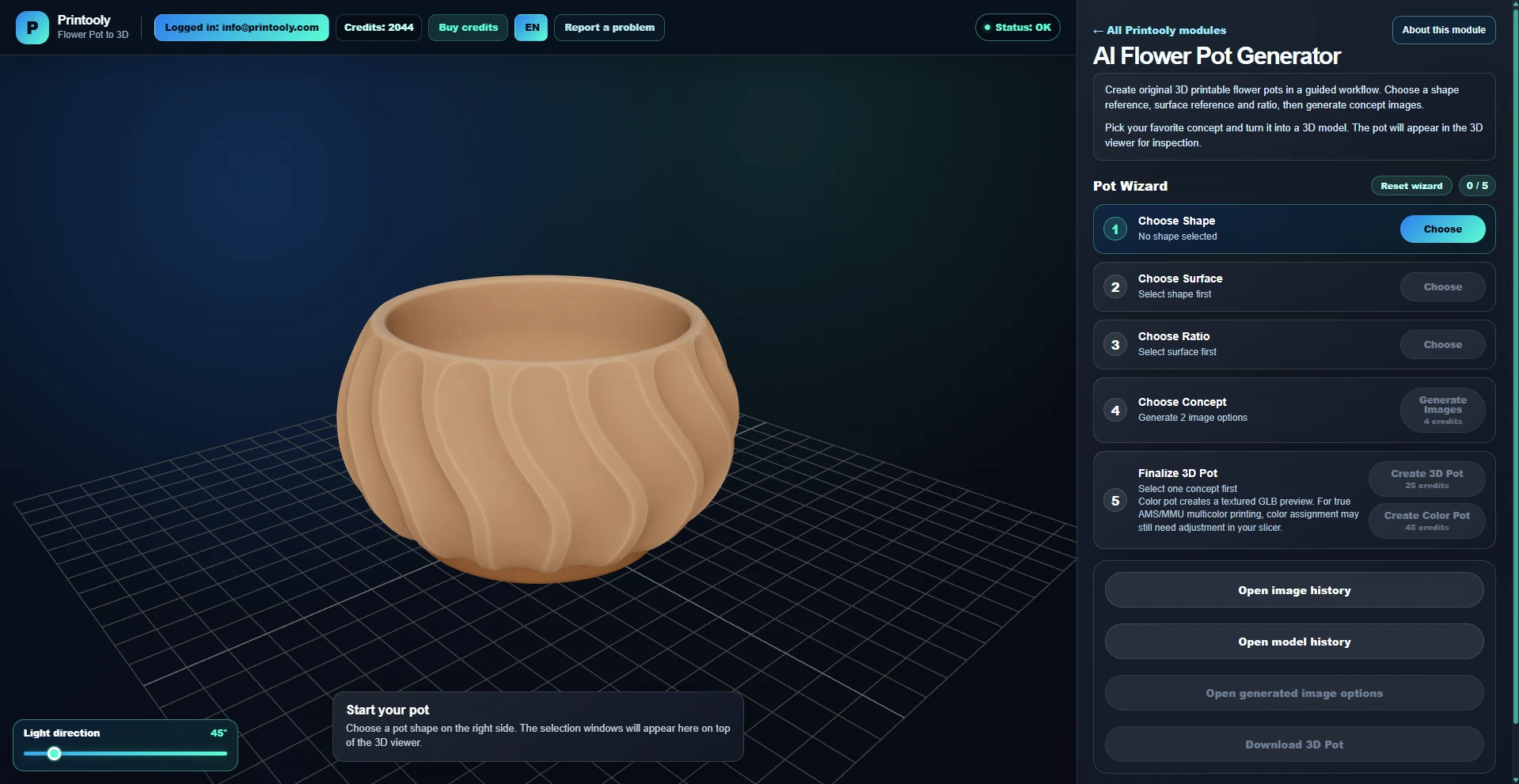
Found a flower pot you like? Upload its photo as a shape reference, or start with a shape from the collection. Adjust the surface and proportions, explore AI concepts and generate a 3D model.
On phones and tablets, you can explore the tools and read their guides. Uploading, editing, generating and exporting require a desktop or laptop.
A photo of a pot or a shape from the collection, plus surface and proportion choices. Photo uploads also offer “Same as Photo” options.
Downloadable STL geometry and a GLB model for the available generation mode, packaged with the generated result.
Your starting point
From your first idea to your next step.
Upload a clear photo of the pot you like, or choose a pot shape from the collection.
Choose the surface and proportions. For a photo reference, use “Same as Photo” where you want to retain its visible features, then generate and select a concept.
Generate the 3D model and check wall thickness, the opening, drainage and finished size before printing.
AI image and 3D generation use Printooly credits. Sign in on a computer; the cost is shown before each paid action.
A photo is a design reference, not a dimensionally exact copy. Check the model’s interior and drainage; a generated pot is not guaranteed to be watertight. Check geometry, thin details, supports and size in your slicer. Mesh cleanup may be needed. A textured GLB does not automatically assign filament colors.
About this module
Yes. Upload a clear photo in the pot module. The pot becomes a shape reference, and you can keep or change the surface and proportions before generating your concept.
For an uploaded pot photo, these options ask the AI to retain the visible surface, height-to-width proportions or colors. They guide the design but do not guarantee an exact replica.
Check the opening, wall thickness, drainage and stability first. Water resistance depends on the geometry, material and print settings; use an appropriate inner pot or liner where needed.
MORE TO EXPLORE
READY WHEN YOU ARE
Save this link and open the tool on a desktop or laptop when you’re ready to create.