Access and pricing
Free 3D printing troubleshooting.
 Printooly
A closer look at your next idea
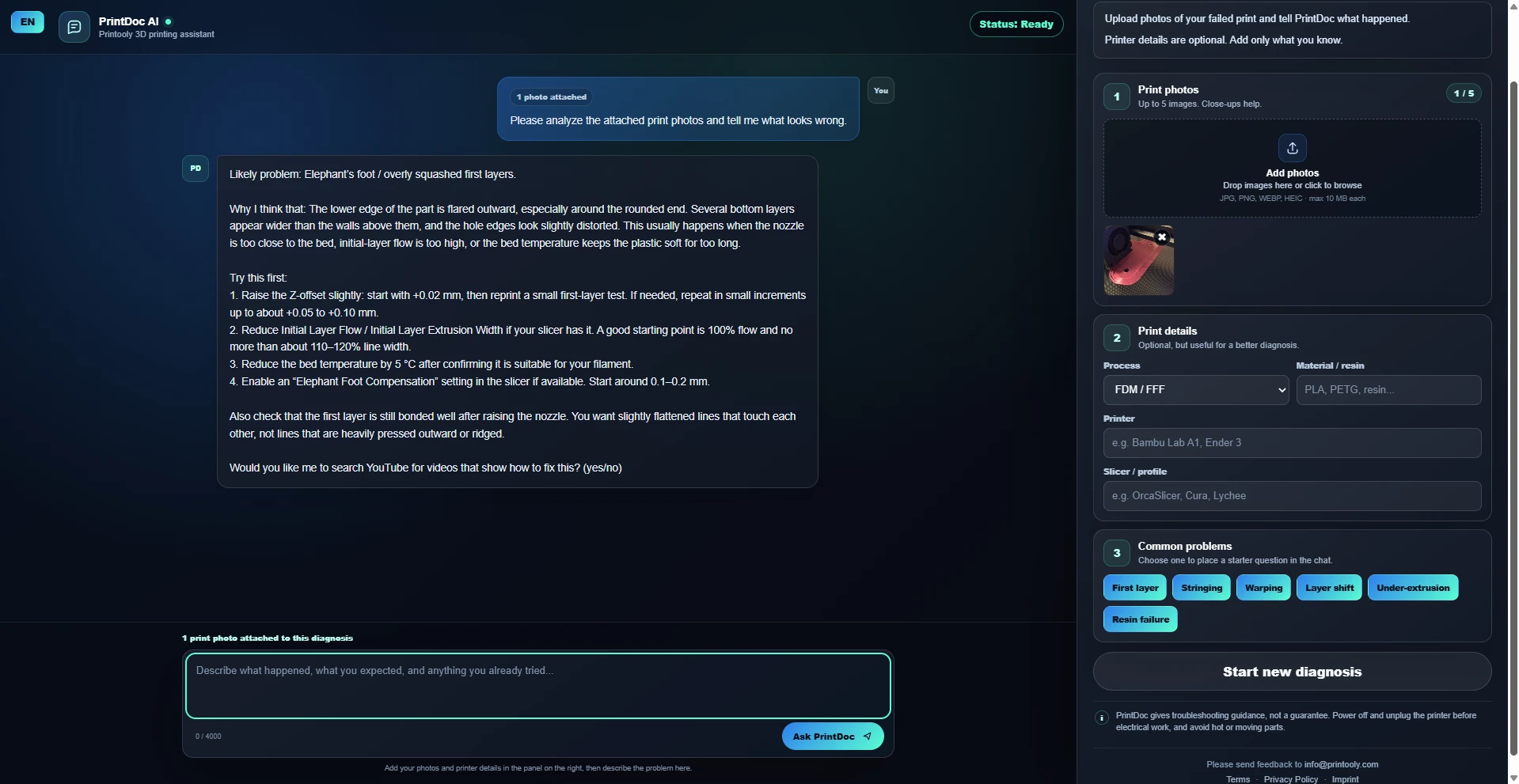
Upload photos of a failed 3D print and describe your setup to get beginner-friendly troubleshooting steps.
On phones and tablets, you can explore the tools and read their guides. Uploading, editing, generating and exporting require a desktop or laptop.
Up to five JPG, PNG, WebP, HEIC or HEIF photos, up to 10 MB each, plus printer, material and slicer details.
A troubleshooting conversation with suggested causes and next steps.
Your starting point
From your first idea to your next step.
Choose photos that clearly show the problem.
Describe your printer, material, slicer settings and what went wrong.
Review the suggested steps and provide a follow-up when you have tested a change.
Free 3D printing troubleshooting.
Photos and setup details help identify likely causes, but cannot confirm a diagnosis. Change one setting at a time and compare a small test print.
MORE TO EXPLORE
READY WHEN YOU ARE
Save this link and open the tool on a desktop or laptop when you’re ready to create.