Access and pricing
Texture reduction and GLB downloads are free. You can use them without an account.
Resize textures or simplify their colors. Compare the original and optimized GLB and check limits before using it in another tool.
On phones and tablets, you can explore the tools and read their guides. Uploading, editing, generating and exporting require a desktop or laptop.
A Beautiful Game © 2020 ASWF (MaterialX Project) · glTF © 2022 Ed Mackey · CC BY 4.0
One GLB file with embedded PNG, JPEG or WebP textures.
An optimized GLB that keeps the original geometry and scale.
Open a textured GLB. Review its texture dimensions, total pixel count and compatibility report.
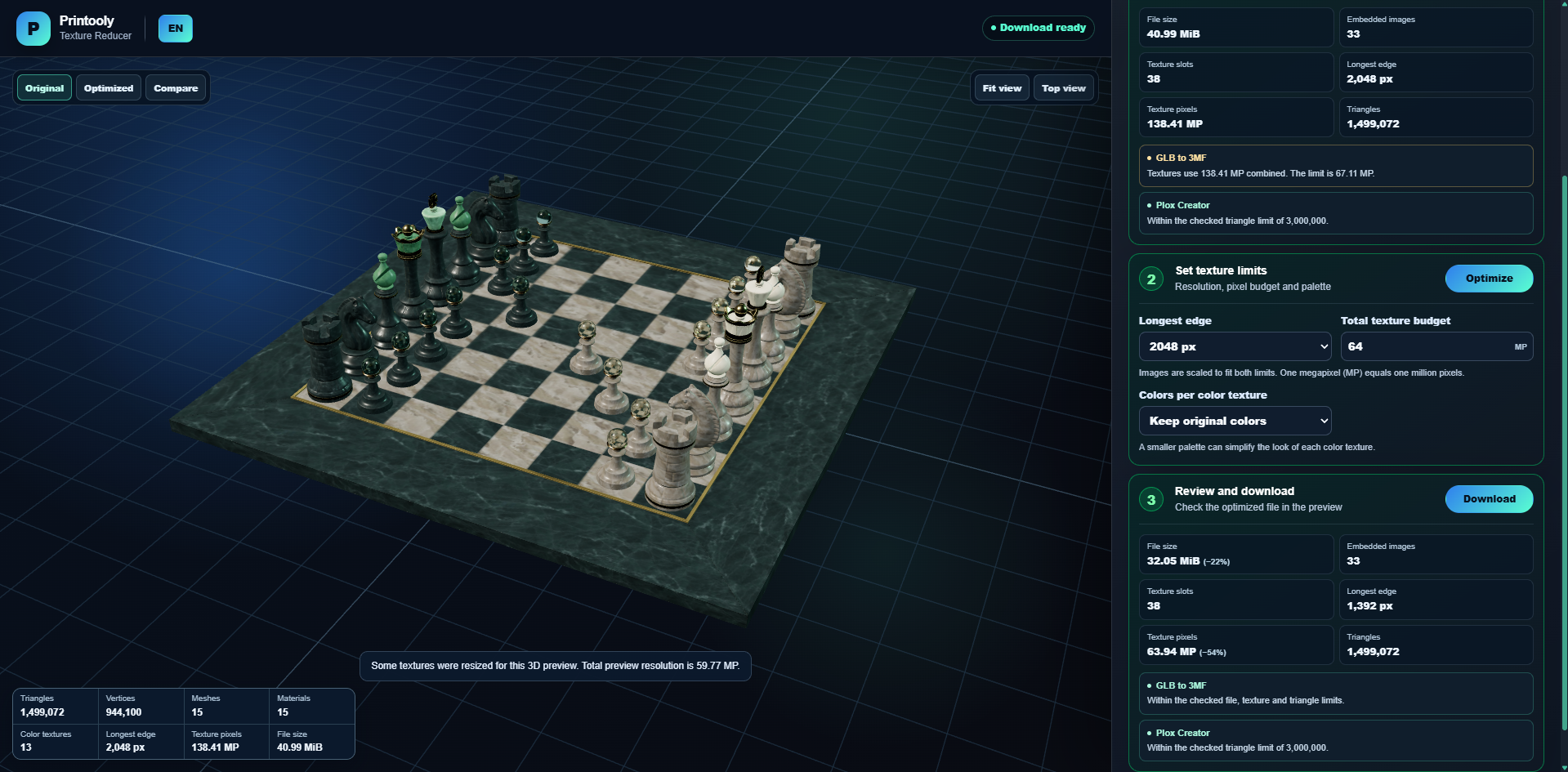
Set the longest texture edge and total pixel budget. You can also limit the colors in each color texture. Select Optimize.
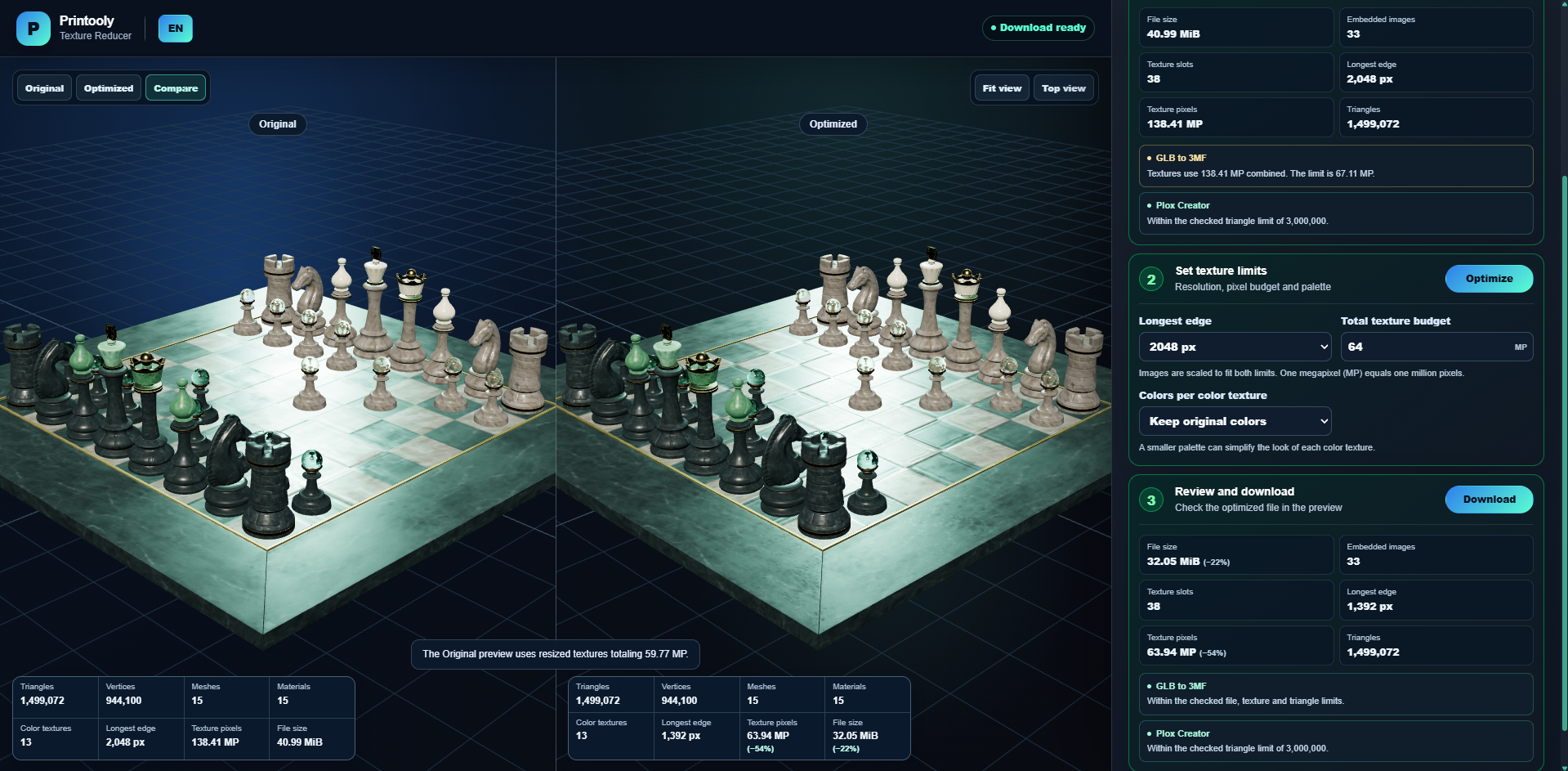
Compare both versions side by side, review the updated compatibility report and download the optimized GLB.
Texture reduction and GLB downloads are free. You can use them without an account.
If the report flags too many triangles, use Mesh Reducer to simplify the geometry before importing the model into your next tool.
MORE TO EXPLORE
READY WHEN YOU ARE
Save this link and open the tool on a desktop or laptop when you’re ready to create.